
A safety induction with unreadable on-screen text is not doing its job. Neither is a recruitment film that relies on music to carry meaning, or a stakeholder update that excludes people watching silently on a mobile. Knowing how to optimise video accessibility means treating every viewer’s ability to understand the message as part of the production brief, not a last-minute compliance task.
For organisations, accessible video is better communication. It helps employees absorb critical information, gives customers more ways to engage, and reduces the risk that a message is lost when someone is deaf or hard of hearing, blind or has low vision, neurodivergent, using a screen reader, watching in a noisy environment, or simply unable to turn sound on. It also makes business content more useful across real-world situations, from a site lunchroom to a train commute.
How to optimise video accessibility before filming
Accessibility is easiest and most cost-effective when it shapes the concept, script and shoot plan. Retrofitting captions, re-editing graphics or recording audio description after final approval can be done, but it can add time, cost and avoidable compromise.
Start by defining the video’s primary job and audience. A two-minute brand film, a six-part compliance training series and a public-service announcement will need different levels of detail, formats and delivery options. Consider where people will watch, what action they need to take, and whether the information is essential for employment, safety, education or public access. The higher the consequence of misunderstanding, the more deliberate the accessibility planning should be.
The script is the best place to remove unnecessary barriers. Write narration that communicates the core message without relying entirely on visuals. If a graph, process or product feature is central to the story, make sure its meaning is stated clearly in the spoken content or supported through audio description. This does not mean narrating every camera movement. It means making information, rather than decoration, available to everyone.
At this stage, nominate who will review captions, transcripts and descriptions. Technical terminology, place names, acronyms and names of staff can be easily misheard by automated tools. A subject matter expert should have time to check those details before publication.
Build clarity into the production itself
Good accessibility does not require a flat or uninspired video. It requires creative choices that keep the message clear. Strong production values and inclusive communication generally support each other.
Record clean, intelligible audio
Captions are valuable, but they are not a substitute for usable sound. Record dialogue with appropriate microphones, control background noise where practical, and allow speakers to finish a thought. In industrial, education and public environments, this may mean planning around machinery, traffic, air conditioning, crowds or room acoustics.
Avoid using music as the only cue that the mood or meaning has changed. If a warning, instruction or outcome matters, communicate it through dialogue, text or a visual treatment that is accessible in more than one way. Keep music under voiceovers and interview audio so speech remains easy to understand.
Frame people and information for legibility
An interview subject should be well lit, face the camera where appropriate, and not be obscured by busy backgrounds. This supports viewers who lip-read and makes the content easier to follow on smaller screens. It is also a sound commercial decision: clear interviews feel more credible and retain attention.
For graphics, choose readable typefaces, sufficient font size and strong colour contrast. White text over moving footage can look polished in an edit suite but become unreadable on a mobile outdoors. Use a solid panel, a subtle overlay or a dedicated graphic frame when contrast is not reliable.
Colour should never carry meaning on its own. If a training video marks a prohibited action in red and an approved action in green, add labels, symbols or spoken explanation. This is particularly relevant for safety, process and data-led content, where viewers need to interpret the message accurately rather than simply absorb the general idea.
Give on-screen text enough time
Fast-moving supers and dense slides create friction for almost everyone. Let viewers read each graphic before cutting away, especially when the content includes dates, instructions, contact details, statistics or policy requirements. As a practical rule, simplify the message on screen and use the spoken track or an accompanying transcript for supporting detail.
Captions, transcripts and audio description have different jobs
These terms are often used interchangeably, but they solve different access needs. Choosing the right combination depends on the content and its audience.
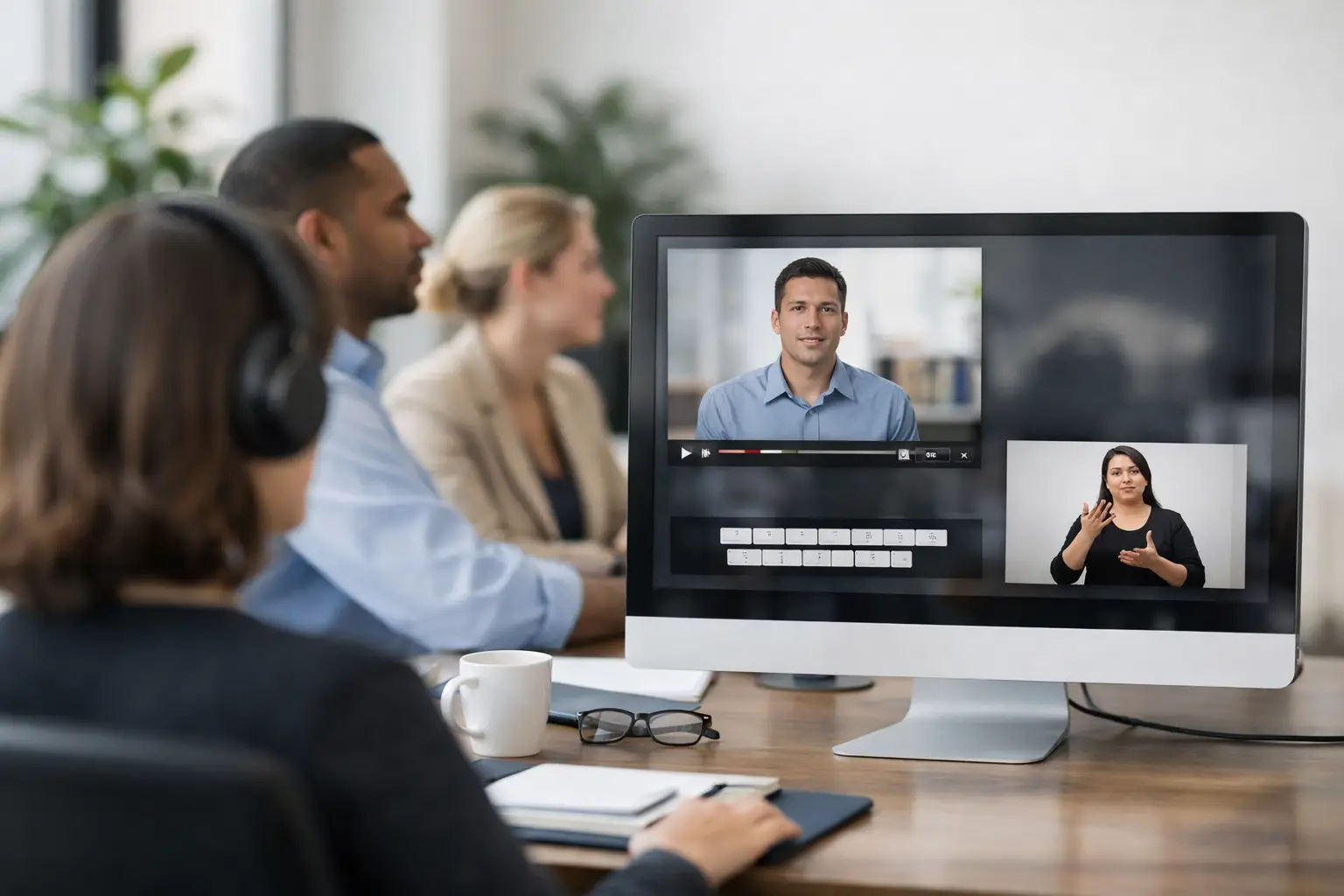
Captions display spoken dialogue and meaningful non-speech audio, such as [alarm sounds] or [applause]. They are essential for people who are deaf or hard of hearing and useful for silent viewing. Closed captions can be turned on or off by the viewer, while open captions are permanently embedded in the video. Open captions can work well for social content where viewers are likely to watch without sound, but they cannot be switched off and must be carefully positioned to avoid covering important visuals.
A transcript is a text version of the video’s spoken content, ideally including relevant audio cues and speaker identification. It supports people who prefer reading, use assistive technology, need to search for a detail, or want to revisit technical information without replaying the film. For longer webinars, leadership messages and training modules, a well-structured transcript can be a genuinely useful business asset.
Audio description explains important visual information that is not already conveyed through dialogue. For example, a property development video may need to describe a map, a new facility layout or the key information in an animated diagram. A campaign film may need to identify the action that gives a scene its meaning. Audio description requires judgement: describe what the audience needs to know, and use pauses in the existing audio where possible.
Automated captioning is a useful starting point, not a finished deliverable. It frequently gets names, industry terms, Australian place names and punctuation wrong. Poorly timed captions can also change the meaning of a statement or make a video difficult to follow. Human review is necessary, particularly when the video communicates legal, medical, safety, government or HR information.
Design the player and publishing experience carefully
An accessible video file can still fail if the publishing environment creates barriers. The player should allow keyboard operation, show captions reliably, provide clear controls and avoid unexpected autoplay with sound. It should also work across desktop and mobile viewing.
Give the video a meaningful title and a short description that sets expectations. Where content sits within a campaign page, learning management system or internal portal, place the transcript where viewers can find it without needing to request it. Do not make accessibility support feel like a separate, lesser version of the content.
There is a practical trade-off to manage. Some social platforms offer limited player controls, while a dedicated video platform may provide more control over captions, chapters and transcripts. The right choice depends on where the audience is and what the video needs to achieve. For a short awareness campaign, reach may lead the decision. For mandatory training or public information, accessibility features and reliable access should carry more weight.
Test with real viewing conditions
Accessibility review should be part of final quality assurance, alongside brand checks, factual accuracy and technical delivery. Watch the video with sound off. Read the captions without listening. Check whether graphics remain understandable on a mobile. Listen without looking at the screen and identify whether any essential visual meaning is missing.
A useful pre-release check should cover at least these areas:
- Captions are accurate, synchronised and include meaningful sound cues.
- Text, diagrams and lower thirds are readable at mobile size and have sufficient contrast.
- Colour is not the only way meaning is communicated.
- The transcript reflects the final edit and identifies speakers where helpful.
- Any critical visual information is included in narration or audio description.
- The publishing player supports the accessibility features supplied.
Where possible, involve people with lived experience of disability in testing. Standards and checklists provide a strong baseline, but real users reveal where comprehension breaks down. This is particularly valuable for high-volume training, community communication and services intended for broad public audiences.
Make accessibility part of your video system
For organisations producing regular content, the biggest gain comes from repeatable process. Build accessible script templates, approved graphic styles, caption review steps and transcript formats into your production workflow. Maintain a glossary of names and technical terms so captions remain consistent across projects. Plan enough time in post-production for quality control rather than treating it as an optional extra once the edit is locked.
THIRTY3SOUTH approaches video as a business communication tool, so accessibility belongs in the same conversation as audience, message, distribution and measurement. A well-made film should not only look considered. It should give more people a fair opportunity to understand it and act on it.
The strongest accessible videos are not recognisable because they feel like a compliance exercise. They are recognisable because the message is clear, the experience is considered, and no viewer is asked to work harder than necessary to understand what matters.